 LoonieBooks
Personal finance for Canadians,
on your own devices.
See where your money goes, what you're worth across every account, and gather the year's tax-time records by CRA line. No bank passwords, no cloud account, no subscription.
Free and open source (AGPL-3.0). The demo has a made-up household to explore.
What it does
You bring your transactions in; LoonieBooks does the sorting and adding up.
Paste or import
Copy transactions from your bank's website and paste them in, or drop in CSV and PDF statements and screenshots.
Categories that learn
Built-in rules for Canadian merchants, and your own corrections remembered for next time. Tags and duplicate detection too.
The whole picture
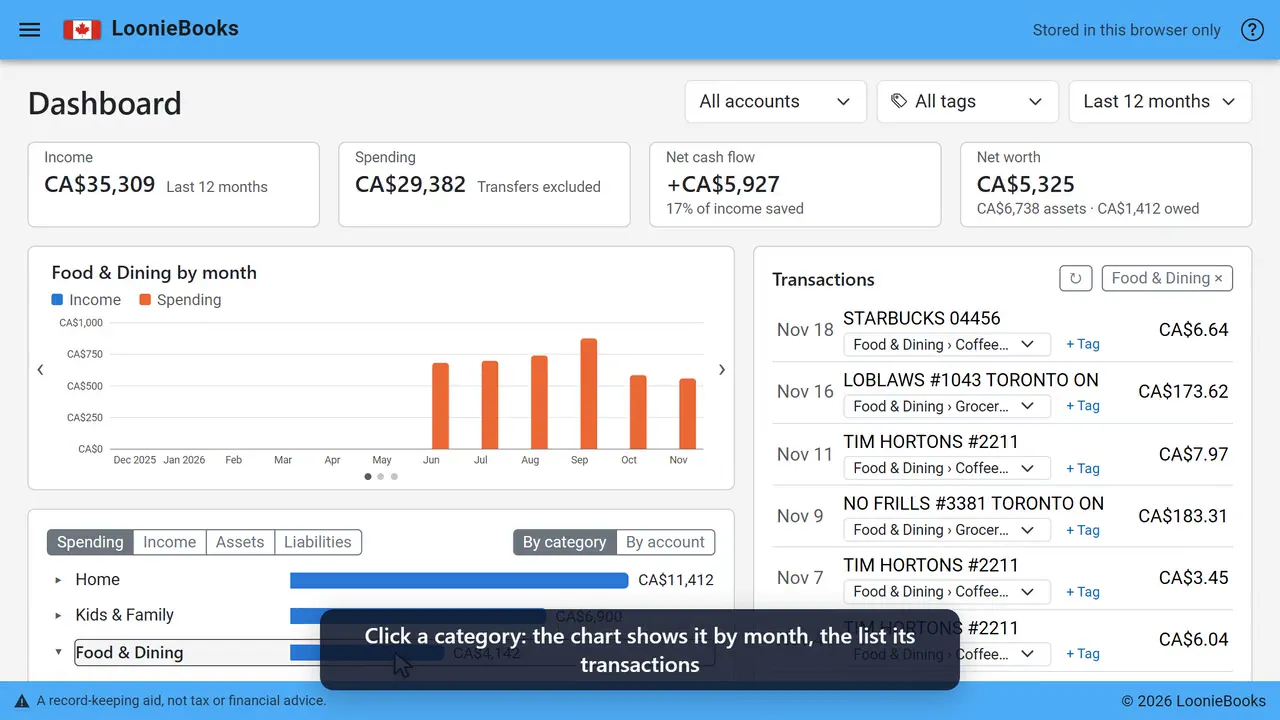
Income against spending by month, spending by category, and net worth across bank accounts, investments and property.
Tax-time records
Medical, donations, child care, RRSP and more gathered by CRA line, with receipts kept beside each claim. A record-keeping aid, not tax advice.
Your ledger stays yours
There's no LoonieBooks server holding anyone's finances. Your ledger lives in one of three places, and you choose.
In your browser
Open the web version and start. The ledger is kept privately in that browser; back it up from Your data.
On your Windows PC
Download, unzip and run. Your ledger is a file on your computer, and the phones and computers in your home can use it too.
On your own server
Run it with Docker for the whole household. Self-hosting instructions are in the README.
Browser demo or Windows app?
The demo isn't a cut-down trial: it's the same app, and you can keep real books in it. Nothing you enter leaves your browser; the site only serves the app's files and never sees your ledger. The difference is where your ledger lives.
In the browser demo
The ledger is stored inside that one browser, on that one device.
- Clearing the browser's site data (cookies and other site data) deletes it. Clearing only your browsing history doesn't, but it's easy to tick both. Some browsers, Safari in particular, also clear a site's data on their own if you don't visit it for a while.
- A private or incognito window, another browser or another device starts with an empty ledger, and a private window's ledger is gone when you close it.
- So if you keep anything real there, use Your data › Download backup regularly. A backup is one file you can restore into the demo or into the Windows app later; restoring adds what's missing and never deletes.
In the Windows app
The ledger is a file on your PC, so clearing a browser can't touch it, and every browser on that PC sees the same ledger. It also does things a website on its own can't:
- Share with your household. Turn on sharing and the phones, tablets and other computers on your home Wi-Fi open the same ledger in their browser, after entering a household passcode. It's over HTTPS, and nothing leaves your network.
- Send from phone. On Import or Scan receipt, scan the QR code: your phone photographs a receipt or a paper statement and sends it straight to the PC, where it's read. Your phone needs to be on the same Wi-Fi. (The demo can still use the camera of the device it's open on.)
- Option prices for investment accounts that hold options.
Try the demo or download for Windows. It's the same ledger format, so you can start in one and move to the other with a backup.
Reach your own LoonieBooks from anywhere
A secure connection to the copy running at your home, from your phone or a laptop away from home, like Plex does for media. It would only pass your connection through to your own copy; your ledger would never be stored with us. Follow along on GitHub.